In the space of four days in early October 2026, three very different incidents drained millions from crypto wallets and vaults. One was a trader's personal wallet, one was a stablecoin approval scam, and one was a DeFi vault governed by a multisig. None of them needed a broken blockchain or a smart contract bug that anyone has identified. In each case, a valid signature did the damage.
That is the uncomfortable lesson for anyone holding digital assets: the weak point is rarely the cryptography. It is the moment, the place and the device where a key says "yes".
Three incidents, one pattern
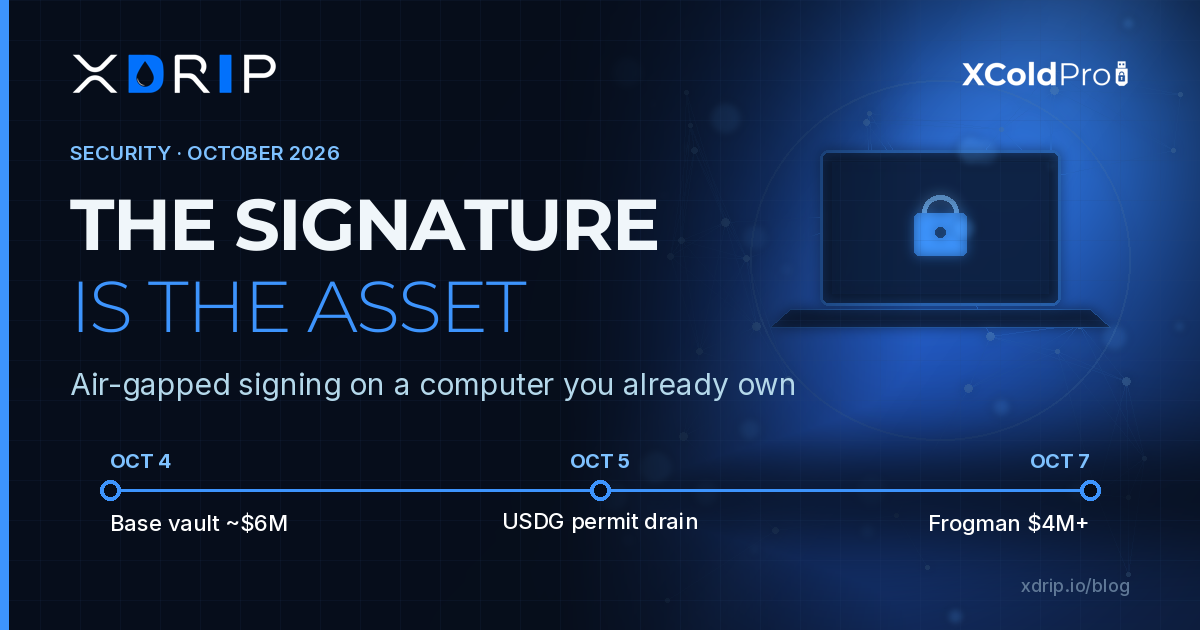
The Base vault whitelist change (4 October). An unclaimed vault on Base lost about 1,783 wstETH, roughly $6 million. According to SigIntZero's reconstruction, a 3-of-7 Safe executed a call that added a freshly deployed contract to the vault's whitelist; that contract then pulled the position out in six transfers. Crypto Briefing notes that the multisig had been idle for 25 days before approving two whitelist edits inside a single minute. Base and Aave's core contracts were not blamed. The Safe simply accepted three valid owner signatures.
The Revenue USDG permit drain (disclosed 4–5 October). Security firm Salus reported that users of Revenue were drained through malicious USDG permit signatures. As crypto.news summarised, attackers submitted signed permits to obtain unlimited spending rights, then called transferFrom in the same transaction. Blockfence stresses the key point: victims kept their private keys. They had signed a message that looked harmless.
The Frogman drain (6–7 October). The trader known as Frogman said more than $4 million left his wallets while he slept in Singapore during TOKEN2049. The Defiant reported that the transfers were signed by the wallet's own key, and Trenchbook's on-chain timeline shows wallets on Solana, Base and BNB Chain emptied within 69 seconds. How the key was obtained remains unconfirmed.
Three different attack surfaces: governance, approvals, and a personal key. One shared pattern: the signing authority was reachable, and once it was used, the chain did exactly what it was told.
The signature is the asset
Blockchains do not know intent. They verify that a signature is valid for an address, and then they execute. That makes the signing key, and the environment where it is used, the real perimeter of any digital asset holding.
When that environment is always online, it is exposed to everything the device is exposed to: browser extensions, malicious dApp front-ends, clipboard hijackers, remote access tools, compromised dependencies, and social engineering that turns a "sign to continue" prompt into an unlimited approval. A hot wallet on a laptop used for email, trading and browsing shares its attack surface with all of that.
The Frogman case is the starkest version: if a key can sign from wherever it lives, then whoever reaches that place can sign too. In the Revenue case, the key never left the victim, yet one signed message in the wrong context was enough. And in the Base vault, a multisig, normally considered best practice, still approved a change that emptied the position, because the approvals were given quickly and nothing forced a pause.
What air-gapped signing actually changes
Air-gapped signing separates two jobs that hot wallets merge: preparing a transaction and authorising it.
- The online machine can build, view and broadcast transactions, but it never holds the private key.
- The signing environment holds the key, has no network connection, and only signs what is deliberately brought to it.
- The person signing reviews the transaction in a calm, isolated context, away from the browser tab that requested it.
This does not make phishing impossible; a careless person can still approve a bad transaction offline. What it does is remove whole classes of attack. Malware on your everyday machine cannot silently reach a key that is not there. A remote attacker cannot trigger a signature at 4 a.m. on a device that is offline. And every authorisation becomes a deliberate step instead of a reflexive click.
Why "a computer you already own" matters
For years the standard advice has been to buy a dedicated device. That works for some people, but it adds cost, supply-chain questions and another piece of proprietary hardware to trust.
XColdPro, developed by XDRIP Digital Management LLC, takes a software-first, hardware-agnostic approach. It is cold wallet software for Windows and macOS that turns a computer you already own into an air-gapped signing environment. You choose the machine, you control how it is isolated, and the key stays offline, encrypted with AES-256-GCM.
That matters for three reasons:
- Accessibility. Strong key isolation should not depend on buying and shipping a specific gadget. A spare laptop or a dedicated desktop can serve the purpose.
- Transparency of the setup. You know which machine holds your keys, and you decide that it never touches the internet.
- Fit for real workflows. Individuals, treasuries and teams can adopt the same model, from a single offline signer to multi-party approvals.
Editions for different risk profiles
XColdPro is available in three editions, Frost, HellBound and Nyxor, so the level of protection can match what is at stake. Advanced capabilities include:
- SeedVault, Shamir-based recovery, so a backup does not have to exist as a single point of failure.
- BlackHole, decoy protection for situations where someone is pressured to open a wallet.
- Citadel, M-of-N multisig. The Base vault incident shows why this matters together with offline signing: a multisig whose signers each approve from isolated environments, after independent review, is far harder to rush than three online keys clicking through in under a minute.
For feature details by edition, see xcoldpro.com.
A practical checklist after October's drains
Whatever tools you use, these habits address the patterns seen this month:
- Keep long-term holdings off internet-connected devices. Travel and trade with a small hot balance only.
- Treat every signature as a payment. Permits and approvals can move funds just like transfers. Read what you sign, especially "unlimited" allowances.
- Revoke approvals you no longer need and review them regularly.
- Add friction to admin actions. For vaults and treasuries, combine multisig with timelocks and independent review by each signer.
- Separate roles. The machine that browses should not be the machine that signs.
- Plan recovery before you need it. Split backups, rehearse restoration and document who can act in an emergency.
The bottom line
October's incidents were not exotic. A whitelist change, a permit and a key that could sign while its owner slept: three ordinary authorisations with very costly consequences. The most effective defence is also an ordinary one. Keep the key offline, bring transactions to it deliberately, and sign only after review.
XColdPro is built around that principle, on hardware you already have. Learn more at xcoldpro.com.
Incident details are based on public reporting at the time of writing; causes in some cases remain unconfirmed. This article is for information only and is not financial advice.