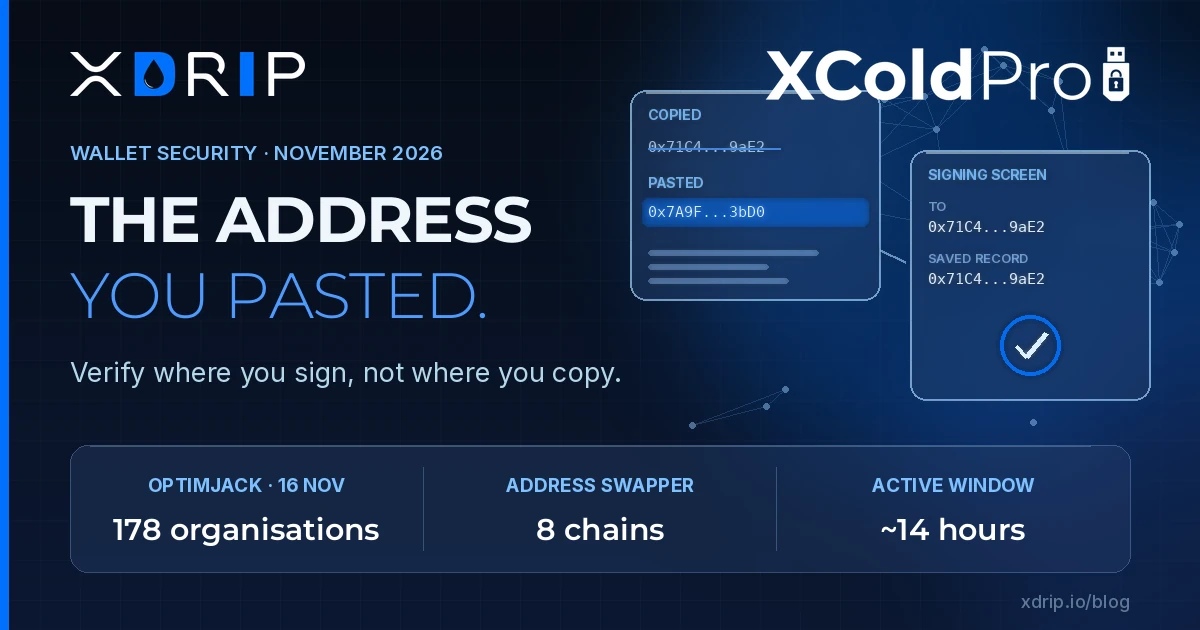
On 16 November, a script that 178 organisations had chosen to trust started changing what their visitors copied. Pages at CNN, the BBC, Zoom, Salesforce, IKEA and others loaded code from Optimizely's own content network, as they do every day. For roughly fourteen hours that code carried a crypto address swapper, a card skimmer and, on iPhones and iPads, two exploit kits. The same week, Trust Wallet shipped a feature built on a blunt admission: "Nobody can read a 42-character address."
We think those two facts belong together. Most self-custody advice ends at "check the address before you send". This week showed how weak that instruction is when the thing doing the checking is the same device, browser or clipboard the attacker controls.
What OPTIMJACK actually did
According to Optimizely's incident report, an unauthorised party exploited a flaw in the Web Experimentation sign-up flow that let them act as administrator users of customer projects. The first malicious code was written at 07:51 UTC on 16 November; Optimizely detected the activity at 13:34 UTC, closed the vulnerability at 16:10 UTC and removed the injected code from all affected projects by 22:24 UTC. The company stresses that no customer passwords were stolen and that sites with a strong Content Security Policy were protected.
The analysis from StepSecurity shows how carefully the address swapper was built:
- It carried replacement addresses for BTC, ETH, TRX, TON, SOL, LTC, BCH and DOGE.
- It only swapped addresses that passed the chain's checksum, so the replacement was valid and any wallet would accept it.
- It only acted when nearby text contained payment words such as "wallet", "deposit" or "send".
- It rewrote addresses in page text, form fields, links, copy events, the clipboard API and outgoing requests.
In other words, an address copied from an affected page could already be the attacker's by the time it was pasted into a wallet. The 0xCERT advisory notes that Ledger was among the affected organisations, and that loss estimates differ between sources: Report URI counted about $7,040 received by the attacker's wallets by 19:25 UTC, while Bitquery puts confirmed victim payments at about $2,260. As Ars Technica reported, the same injected code also tried to deliver the Coruna and DarkSword iOS exploit kits to Apple mobile devices.
The money involved was small. The lesson is not. A trusted domain, a valid certificate and a familiar brand did not make the address on the screen trustworthy.
The phone is part of the attack surface
DarkSword deserves its own paragraph. On 17 November, 1inch warned iPhone users that it was still seeing the kit target wallets on unpatched devices, and that opening a malicious site in Safari can be enough. No wallet connection or signature is needed. According to CertiK's findings cited in the same report, the exploit affects iOS 18.4 to 18.7, searches Apple Keychain, and scans Photos and Notes for recovery phrases.
That is why switching wallet apps does not help on a compromised phone. The attack targets the device, not a specific application. A recovery phrase saved as a screenshot or a note is simply a file waiting to be found.
Labels and contacts: progress, with limits
The industry is responding to the "nobody can read an address" problem, and the direction is right.
- Trust Wallet now labels known exchange deposit addresses on its send screen, so a user sees a recognisable destination instead of a string of characters. The coverage itself points out the limit: a label helps identify a destination, but it does not guarantee that the address is correct or that the transfer is safe.
- Toss, used by roughly 30 million people in South Korea, has rolled out a non-custodial wallet that lets users send ether, USDT and USDC to phone contacts instead of raw addresses. Toss also says the assets are not covered by deposit protection, and that a user who loses a phone can regain access by installing the app on a new device.
Both changes reduce copy-and-paste mistakes. Both also move trust somewhere else: to the wallet's label database, or to the mapping between a contact and an address held inside the app. That is a reasonable trade for everyday amounts. It is worth being clear about what has moved, and what an attacker would now need to change.
Where verification should live
Taken together, this week's events point to a few practical rules that we apply to our own work and recommend to anyone holding meaningful value.
- Verify on the device that signs, not the device that browses. A clipboard, a web page or a phone running an unpatched browser can all show the attacker's address. The final check belongs on the screen of the device that produces the signature, and that device should not be the one that loaded the page.
- Compare against an independent record. Check the destination against an address you saved earlier through a separate channel, not against what you just copied. If the only "source of truth" is the clipboard, there is no check at all.
- Treat recovery phrases as offline material. Not in Photos, not in Notes, not in a password manager on the same phone as the wallet. DarkSword shows exactly where malware looks first.
- Patch before you transact. The DarkSword flaws are fixed in current iOS releases. An outdated phone is not a neutral tool; it is part of the attack surface.
- Use labels and contacts as a second check, never the only one. They are useful signals. They are not proof.
This is the reasoning behind XColdPro, our air-gapped cold storage security platform. Keeping the signing step on an offline device means the key never shares a screen, a clipboard or a browser with the internet, and the transaction is reviewed where the signature is created.
The takeaway
OPTIMJACK ran for a few hours and moved a few thousand dollars. It still showed that a well-known site, served from a trusted network, can hand a visitor someone else's address. Better labels and contact-based transfers make mistakes rarer, and we welcome them. But the real defence is structural: decide where verification happens, and make sure that place is out of the attacker's reach.
Sources
- Optimizely, Security Incident Report: Optimizely Web Experimentation (17 November 2026)
- StepSecurity, OPTIMJACK: Optimizely-Hosted Scripts Loaded a Crypto Clipper and Card Skimmer on 178 Organizations (November 2026)
- 0xCERT, Advisory 0xCERT-2026-0365 (November 2026)
- Ars Technica, Hundreds of websites deliver potent malware cocktail to unsuspecting visitors (November 2026)
- The Crypto Times, 1inch Warns iPhone Users of DarkSword Attack on Crypto Wallets (17 November 2026)
- Crypto Gazette, Trust Wallet Adds Exchange Deposit Address Labels (17 November 2026)
- CoinReporter, Toss Rolls Out Non-Custodial Crypto Wallet to Its 30 Million Users (17 November 2026)